Profiles
The Profiles section is where BidHub stores the information that powers job matching, Autofill, AI-assisted answers, document handling, collaboration, and credit-based features.
A profile is more than a resume. It is the working foundation for how BidHub supports job applications.
What a profile does
A profile helps BidHub:
- Fill application forms more accurately
- Decide whether a job matches the user's Apply Criteria
- Guide Assistants applying on the Job Seeker's behalf
- Choose which resumes or cover letters to use during applications
- Generate more relevant AI-assisted answers
- Support advanced resume and cover letter tailoring to the specific job description
Why profiles matter
The quality of a profile directly affects the quality of the application process.
A complete and accurate profile improves:
- Autofill quality
- Job matching
- AI-assisted answers
- Collaboration with Assistants
- Document handling like tailoring and choosing resume or cover letters during apply workflows
Multiple profiles
BidHub allows users to manage multiple profiles.
This is useful when a user wants to:
- Target different role types
- Separate industries or career tracks
- Maintain different resumes and document sets
- Keep different Apply Criteria for different job goals
Each profile can have its own:
- Information
- Work and education history
- Resumes and cover letters
- Apply Criteria
- Tailor AI Answers
- Sharing settings
Profile sections
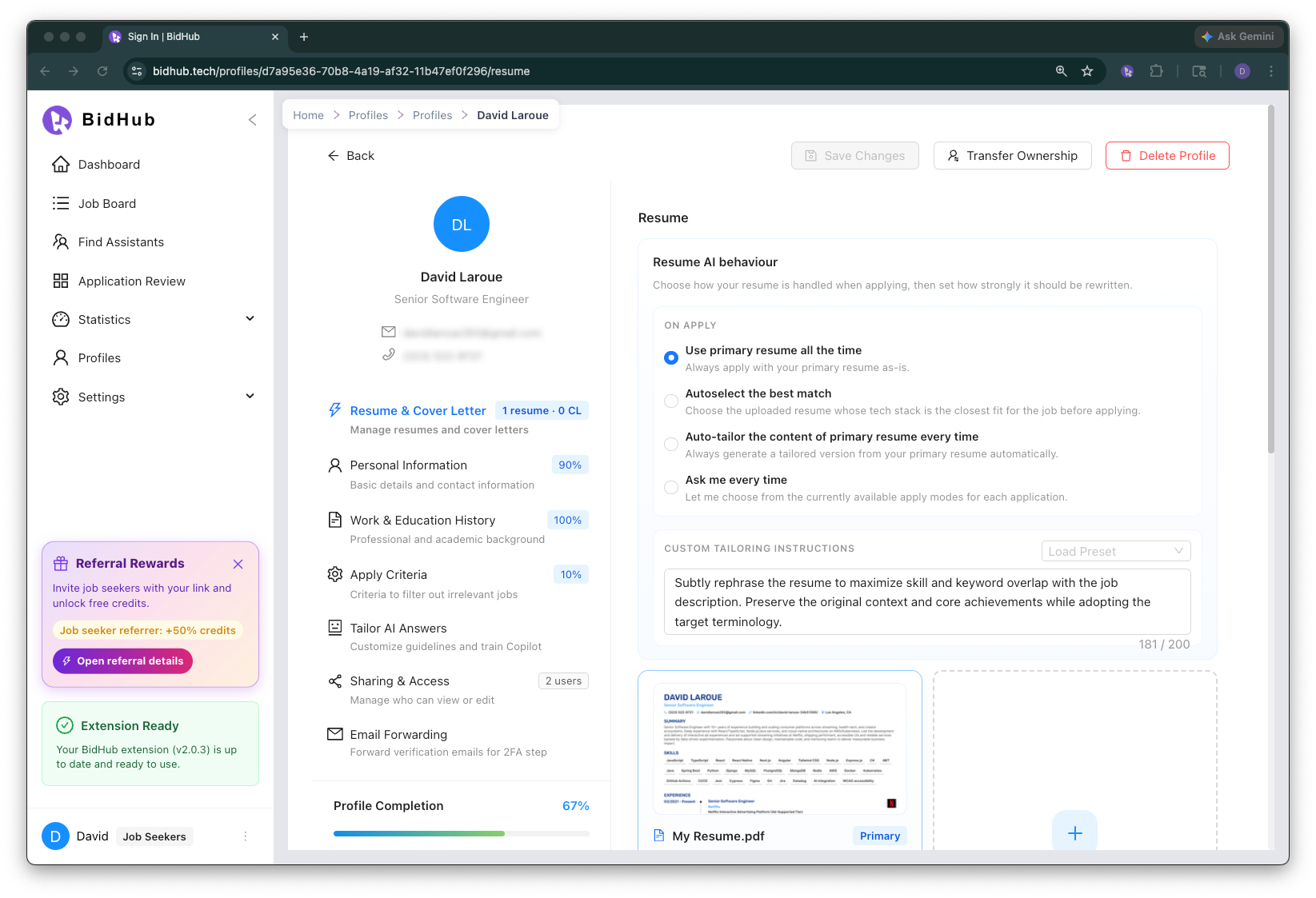
Resume & Cover Letter Management
Upload and manage multiple resumes and cover letters for one profile.
For more detail, see Resume & Cover Letter Tailoring.
Personal Information
Store the Job Seeker's personal and contact details, such as:
- Full name
- Professional headline
- Summary
- Contact information
- Address
- Links such as portfolio or LinkedIn
Work & Education
Store professional and academic background, such as:
- Past employers
- Job titles
- Employment dates
- Schools
- Degrees
- Education dates
This information improves matching, Autofill, and AI-assisted answers.
Apply Criteria
Apply Criteria defines which jobs the profile should target or avoid.
This can include:
- Preferred job titles
- Unwanted job titles
- Blocked companies
- Preferred locations
- Preferred work types such as Remote, Hybrid, or Onsite
- Employment type preferences
- Salary expectations
- Other application filters
These rules determine whether jobs are labeled Qualified or Disqualified.
Tailor AI Answers
Tailor AI Answers helps users save preferred answers for recurring job application questions.
This improves consistency across repeated questions such as:
- Why are you interested in this role?
- What are your salary expectations?
- Are you authorized to work?
- Why are you a good fit for this position?
Profile Sharing
Job Seekers can share profiles with Assistants so applications can be completed using the same profile data, criteria, and documents.
This improves speed, consistency, and collaboration.
Email Forwarding
Email Forwarding helps BidHub handle supported verification-code and email-link steps during job applications.
In supported cases, this can reduce manual copy and paste during flows such as Greenhouse verification emails and Workday sign-up or account-verification steps.
Need step-by-step setup? See Email Forwarding.
How profiles support Assistant workflows
A shared profile gives an Assistant access to the Job Seeker's:
- Information
- Resumes and cover letters
- Apply Criteria
- Tailor AI Answers
- Application behavior tied to the profile
This makes Assistant-supported applications faster and more consistent.