Statistics
The Statistics section gives users a structured view of activity and performance in BidHub.
It helps teams understand what work has been completed, when assistants were active, how payments are calculated, and which job platforms are being used most often.
What the Statistics section shows
The Statistics section includes reporting across four main areas:
- Daily Performance
- Working Hours
- Payment Report
- Platform Usage
Platform Usage is visible to Job Seekers only.
Why this section is useful
Statistics helps users:
- Monitor assistant activity across a selected date range
- Review application outcomes alongside Application Review
- Compare assistants based on status results and work patterns
- Understand when work is happening during the day
- Review payable work and payment summaries more clearly
- Let Job Seekers see which job platforms are being used most often
- Improve collaboration through shared reporting and visibility
Common filters
Most Statistics pages include filters such as:
Date range
Choose a start date and end date to review activity for a specific period.
Assistant filter
Select one or more Assistants to compare team activity or focus on one individual Assistant.
Search action
After choosing filters, run the search to load matching data.
Daily Performance
The Daily Performance page gives a quick view of application activity across the selected date range.
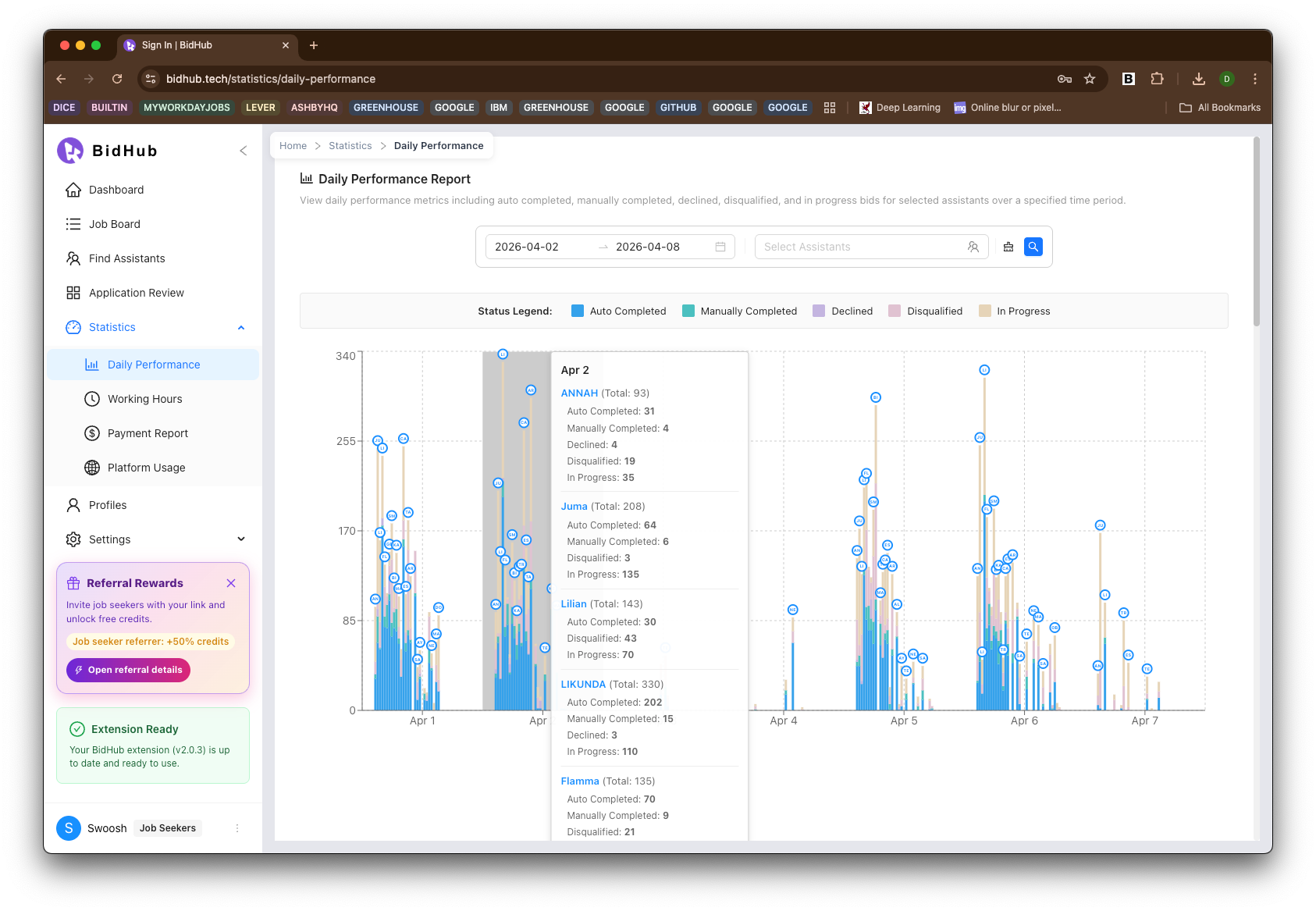
This report helps users review each Assistant's application status and compare overall performance.
It groups work into categories such as:
- Auto Completed
- Manually Completed
- Declined
- Disqualified
- In Progress
This makes it easier to:
- See how much work each Assistant completed during the selected period
- Compare Assistants by output and application status
- Spot strong performance trends
- Identify where follow-up, coaching, or encouragement may be helpful
- Understand how work was handled before reviewing details in Application Review
Working Hours
The Working Hours page shows when application work happened during the day.
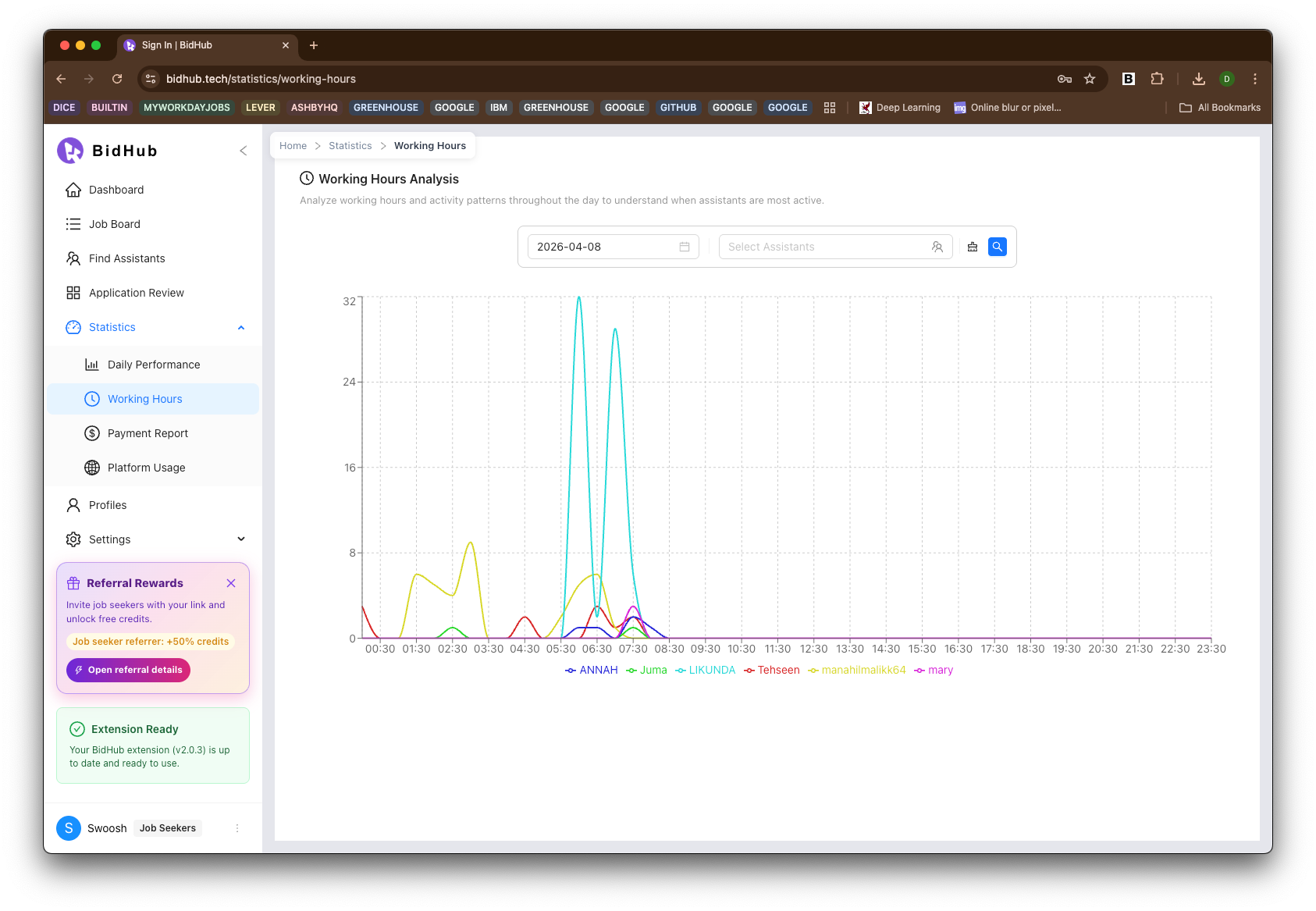
This view makes it easy to see each Assistant's working-hour pattern across the selected time period.
Users can:
- Compare multiple Assistants at the same time
- Focus on one Assistant by using the Assistant filter
- Identify active time windows during the day
- Better coordinate follow-up, workload planning, and collaboration
This is especially useful when teams want to understand time distribution and when work is most actively being completed.
Payment Report
The Payment Report page helps users review payment status and payable work. It is especially useful for Job Seekers when calculating what is owed for work completed by Assistants.
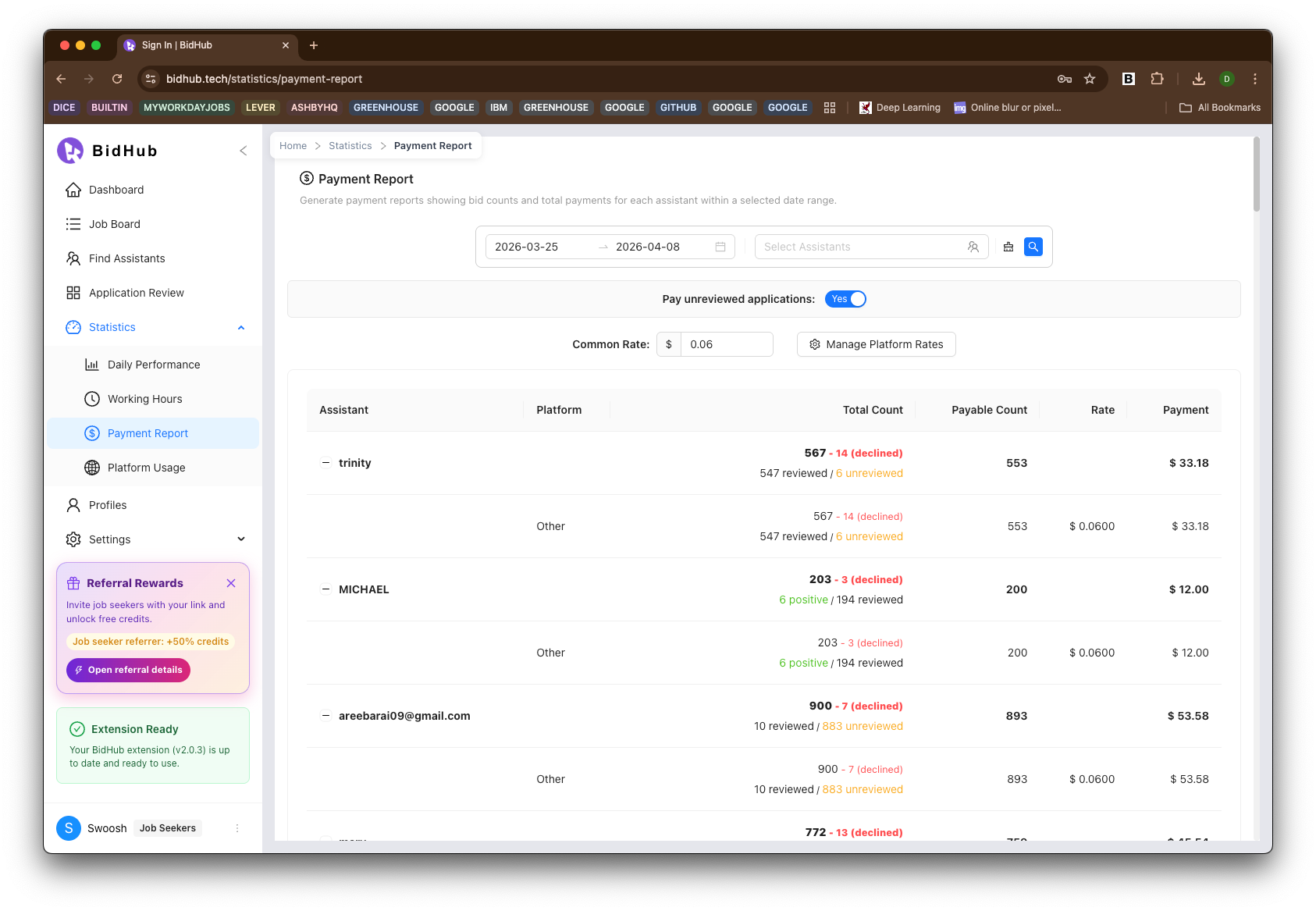
It may include:
- Total application counts
- Reviewed, unreviewed, or declined counts
- Payable counts
- Rates
- Payment totals
- Platform-based breakdowns
- Whether unreviewed applications are counted
This page helps users check payment status, confirm how work is being counted, and review payment-related reporting with more confidence and clarity.
Platform Usage
The Platform Usage page is available to Job Seekers only and helps them review which job platforms were used most often during application activity.
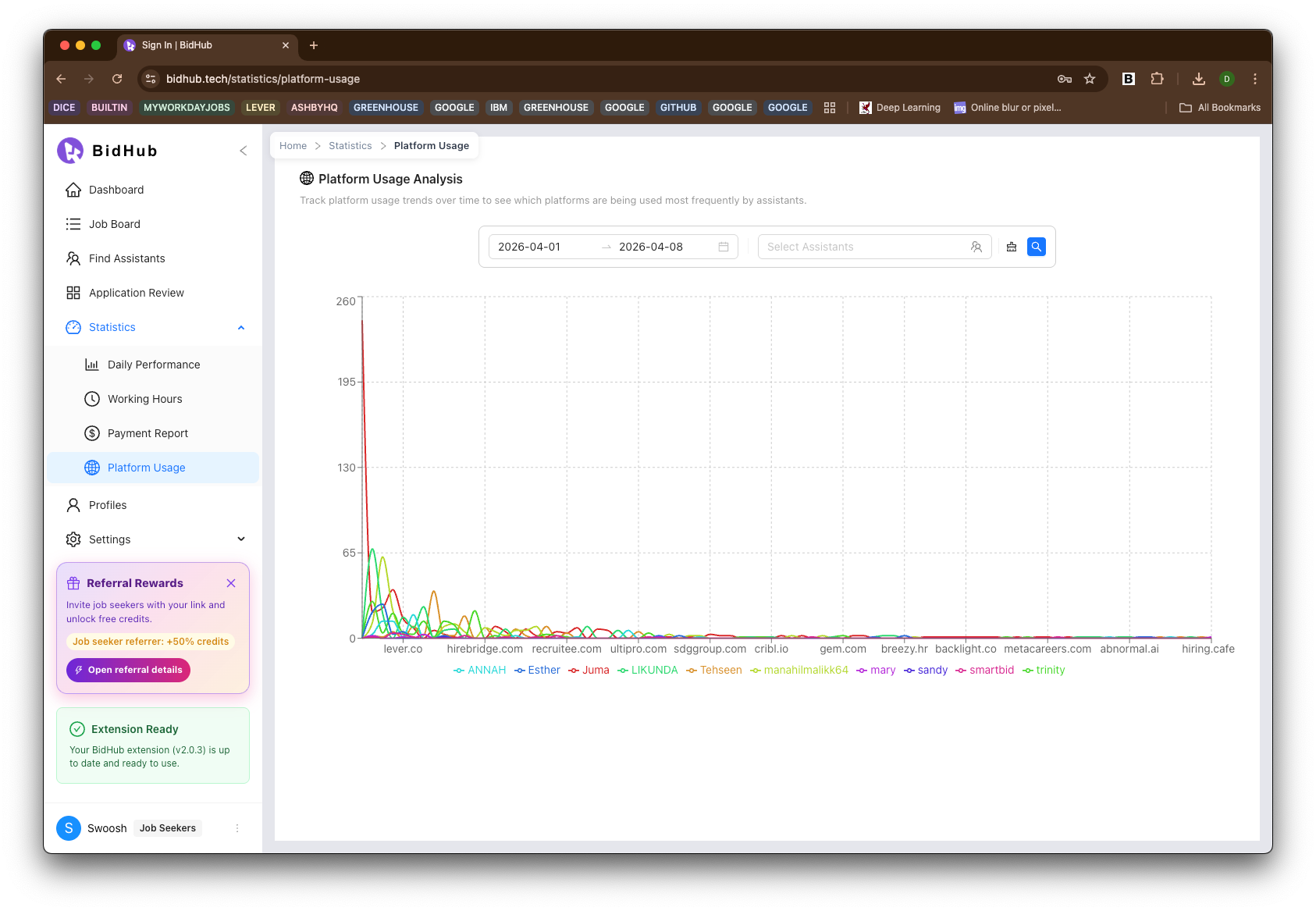
This report shows platform trends across the selected date range and helps users understand where Assistants are spending most of their application effort.
It is useful for:
- Identifying the most active job platforms
- Comparing platform usage across Assistants
- Understanding sourcing patterns over time
- Evaluating whether platform activity aligns with profile or hiring goals
Collaboration and transparency
One of the biggest benefits of the Statistics section is shared visibility.
When Job Seekers and Assistants can review Daily Performance, Working Hours, and Payment Report data from the same reporting system, collaboration becomes more transparent, easier to discuss, and easier to improve.
Shared reporting helps teams:
- Align on what work was completed
- Understand when activity happened
- Review payment expectations more clearly
- Reduce confusion about performance and payable work
- Build a more accountable and cooperative workflow
How Statistics supports both roles
For Job Seekers
Job Seekers can use Statistics to:
- Review assistant output over time
- Check each Assistant's application status and performance
- See progress across statuses in Application Review
- Understand payment status and payable summaries
- View platform usage and working-hour patterns
For Assistants
Assistants can use Statistics to:
- Review completed work in Application Review
- Track their daily performance
- Check their working-hour patterns
- Monitor payable work and payment reporting
- Stay aligned with Job Seekers through shared, transparent reporting